
Quick summary
- Freight operations never run in one system. Financials live in an ERP, partners exchange EDI, equipment reports through GPS and IoT devices, and plenty of billing still arrives as PDFs.
- Cedar AI’s ARMS™ platform connects to all of it, for railroads, ports, transload and intermodal operators, industrial parks, and shippers alike. That includes rail and warehouse EDI, Railinc, ocean carriers and marine terminals, QuickBooks, Sage Intacct, ERPs such as SAP, and field devices from Wi-Tronix and Nexxiot.
- Developers get a flexible API, signed webhooks, and no-code automation. Data teams get governed, self-service access and continuous sync into data lakes such as Databricks, Snowflake, and AWS Lake Formation. AI assistants your organization approves can connect with read-only, permission-aware access.
- Coming soon, Cedar Flow turns free-form documents such as freight bills and invoices into reviewed, structured data that flows into automation and your ERP.
- The result: ARMS fits into the stack you already run instead of asking you to rebuild around it.
The problem: freight data doesn’t live in one system, and it never will
No freight operation runs on a single piece of software, whether it’s a railroad, a port, a transload terminal, or a shipper moving product by rail. Financials sit in an ERP, partners exchange EDI, equipment carries its own telematics, and spreadsheets fill the gaps.
Freight makes this harder than most industries. A single shipment can touch several railroads, a terminal or port, and a truck, generating messages with each one, and still has to reconcile back to the system your finance team closes the books in. And not all of it is digital: freight bills and invoices still arrive as PDF attachments, and someone has to retype the numbers.
Software that expects to become the one system a team uses ends up as one more disconnected tool instead of a fix.
What real integration requires
Connecting to an existing stack takes more than an export button. In our experience, it takes eight things:
- Native freight connectivity: EDI and Railinc messaging built in, not bolted on.
- Direct paths into finance systems, so invoices move without retyping.
- A path for paper, too, so PDFs and emailed documents become data, with a person checking what needs checking.
- Equipment data from the field, showing where assets actually are, not just where the last message said they were.
- Core functions reachable by API, for updates as well as reports.
- Real-time events, not nightly batch files.
- Bulk and analytics access built for data warehouses and BI tools.
- Control and visibility: testing, tracing, retries, and permissions that follow the user.
The rail network: EDI and Railinc, built in
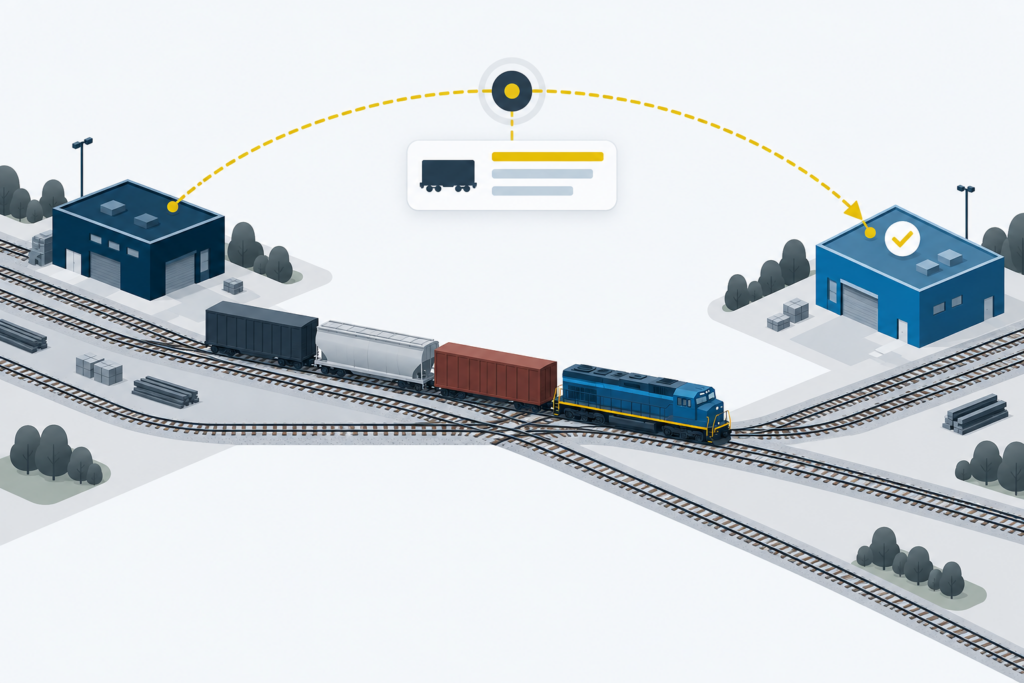
EDI is how railroads talk to each other and to their customers, and ARMS speaks it natively. It covers the working set of rail EDI, from bills of lading and waybills to advance consists, car handling instructions, switch lists, event reports, freight invoices, and acknowledgments. We add new transactions as partners and customers need them.
ARMS also exchanges Railinc messages for interchange and car hire, and draws equipment and car location data from the network. Messages flow through Railinc and through direct connections with major railroads and EDI providers, reaching all Class I railroads and most regional carriers. When both sides of a move run ARMS, messages pass directly between them.
The EDI Center puts every message in one place, with the raw message, the parsed version, and the acknowledgment side by side. Rejections are easy to spot, and a message can be resent or reprocessed in a click. Problems get fixed where they’re found, instead of in an email thread with the railroad.

Beyond the railroad: transload, ports and intermodal, trucking, and shippers
Cedar AI builds for railroads, ports, industrial parks, warehouses, intermodal and transload operators, and shippers. Each sits at a different point in the same supply chain, and the integrations follow the work.
Transload and warehousing. With Cedar Transload, customer orders can arrive as warehouse EDI and flow straight into work orders for the terminal team. As product moves, ship notices and receiving confirmations go back to the customer automatically. Orders that still arrive as emailed PDFs or photos can be turned into work orders with AI. Inventory is tracked by commodity, customer, and storage location, with scheduled activity reports for customers.
Ports and intermodal. With Cedar Intermodal, ARMS exchanges data directly with ocean carriers and marine terminal operators. Booking confirmations and vessel details come in, and container terminal events go back out. Each vessel visit, with its voyage, cutoff, and the bookings riding on it, sits alongside the rail and truck legs of the same move. Containers, bookings, and work orders stay current without re-keying.
Trucking. Truck load tenders can arrive by EDI or through the Truck Load Tender API and become bookings in ARMS, so the truck leg is managed alongside the rail leg.
Shippers. For a shipper, the work centers on the bill of lading. ARMS sends bills of lading to railroads, whether they start in ARMS or in the shipper’s own ERP, and records the expected freight cost as it goes. Railroad freight invoices come back in and are audited against those accruals before anyone approves payment. The Shipper Invoices API lets an accounts payable or ERP system pull approved bills and write voucher numbers back. Car tracking combines Railinc data with information from major railroads to sharpen arrival estimates.
Your ERP and accounting system
This is where most integration projects stall, because finance data arrives in three shapes: system to system, in packaged accounting software, and on paper. ARMS handles each differently.
Invoices, straight to the books. Finalized ARMS invoices sync directly to QuickBooks (Desktop and Online) and Sage Intacct, mapped to your customers and general ledger accounts. Your accounting team closes the month from the numbers operations actually billed.
Your ERP, on its terms: Integration Fabric. Larger shippers and railroads run ERPs such as SAP, each configured differently, and Integration Fabric is how ARMS connects to them. Cedar AI supplies a ready-made process for each business event, such as a shipment order coming in, master data syncing, or car status and delivery confirmations going out. It connects that process over the path your system already supports: REST APIs, SFTP file exchange, EDI, or XML.
What sets it apart is the discipline around change. Field mappings are versioned, tested against real sample files, and certified in a test environment before they go live. A new connection becomes configuration work, not a custom software project.

Cedar Flow, from paperwork to action
Not every counterparty sends EDI or has an API, and plenty of freight billing still arrives as PDFs in every layout imaginable.
Turning these documents into data isn’t new for Cedar AI. ARMS already reads emailed freight and trucking invoices and turns emailed transload orders into work orders, and we’ve built similar one-off document processing for individual customers. Cedar Flow takes what worked and makes it a product any team can configure.
Your team defines the fields that matter on a document, such as an invoice number, a bill of lading reference, or a total, with plain-language instructions for each. AI extracts the values. Anything below your confidence threshold goes to a person, who reviews it side by side with the original. Approved records will trigger ARMS automation and flow through Integration Fabric into your ERP.
We put human review at the center on purpose. In finance, a wrong number costs more than a second look.
Your equipment: GPS and IoT, live on the map
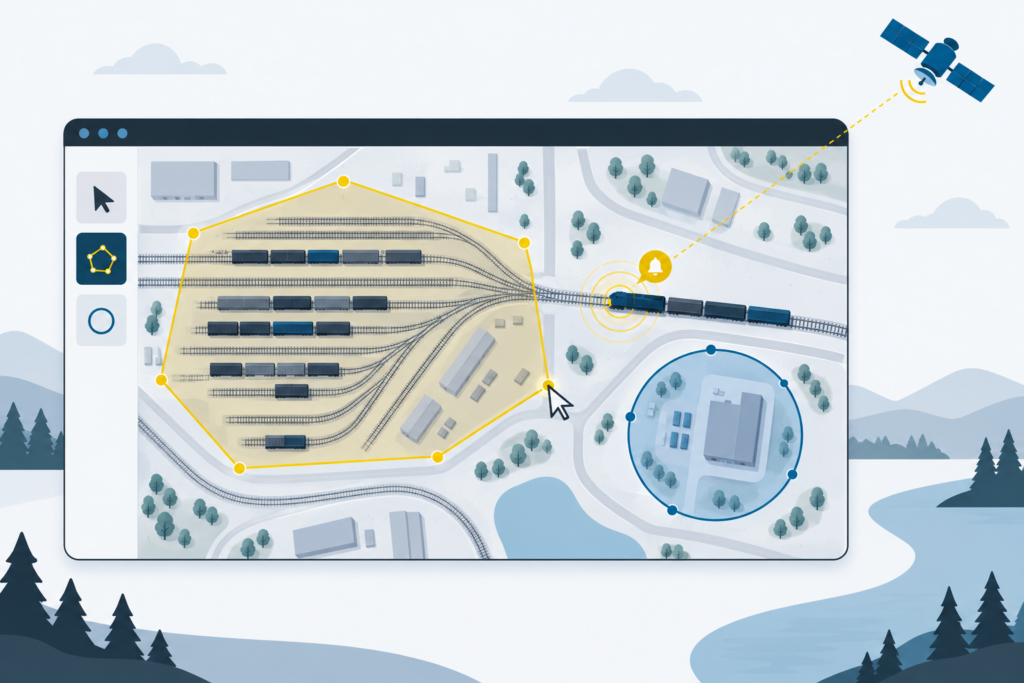
Messages tell you where a car was reported. Devices tell you where it is. ARMS takes in live locomotive GPS and analytics from Wi-Tronix and sends updated train consists back as jobs change. It also receives position data from Nexxiot devices, alongside trackside AEI reader scans and railroad car location feeds. Both partnerships are public; see Wi-Tronix’s announcement and Nexxiot’s announcement.
That data shows up where people work. The ARMS inventory map shows real-time locomotive positions and trails, and reader scans are matched to the right cars and consists. Teams draw and edit geofences right on the map, around a yard, a customer site, or an interchange, with a built-in zone editor. When equipment enters or leaves a zone, ARMS can raise an alert or start an automation workflow, so arrival notices go out when the equipment actually arrives.
Every feed lands in the same operational record as your EDI and waybills: one view of the operation, not a telematics portal in one tab and a transportation system in another. (More on why portals alone aren’t enough.)
Your applications: an API and webhooks that fit how you build
An API in the style your team prefers. Developers can call ARMS with plain REST and JSON, or with gRPC for high-volume, strongly typed connections. The same gRPC services are also available as JSON over standard HTTPS, including HTTP/1.1, for older middleware and low-code tools. OpenAPI specifications are published for every service.
The API covers core operational data for both reads and updates: railcars, waybills and bills of lading, work orders and trains, bookings, truck load tenders, charges, shipper invoices and quotes, and notes. A script can move a car, create a bill of lading, or arrive a train, not just pull a report. Every call acts on behalf of a named Cedar AI user, with that user’s permissions.
Webhooks for the moments that matter. Webhooks push key rail events to your systems as they happen: a car placed, or a train arriving, set, or departing. Each delivery is signed and timestamped so your system can verify it. Failed deliveries retry automatically, and a unique delivery ID makes duplicates safe to ignore. They’re configured inside ARMS automation, so you choose exactly what triggers them.
Automation: the connective tissue
An integration is only as useful as what happens next. ARMS automation connects more than 200 kinds of operational events to well over a hundred actions. Events include a car placed, a train arriving, a waybill created, a transload work order updated, an EDI message or email received, an invoice finalized, a geofence crossed, or simply a schedule.
Actions include:
- notifications by email, Slack, or Microsoft Teams
- paperwork and reports
- file delivery over SFTP
- EDI to the right partner
- updates to equipment and waybills
- invoices posted to accounting
- webhooks
Steps can require a person’s approval, and every run keeps a record of what happened. Workflows are built in ARMS settings, so operations teams can adjust the glue between systems themselves instead of waiting on an IT project.
Your data team: warehouse access and self-service data
Analysts and data engineers need the whole dataset, not one record at a time. Cedar AI’s Snowflake data warehouse (currently in beta) provides ARMS data as governed tables, many of them refreshed within 15 minutes. It offers three ways in:
- Teams on Snowflake can receive the data through live Secure Data Sharing in supported regions.
- You can query it with a read-only Snowflake user.
- You can schedule full or changes-only exports to your own Amazon S3 or Azure storage, from every few minutes to monthly.
A nightly ERP sync is easy. So is something much closer to real time.
Cedar Data Depot is a self-service portal for governed data access. Administrators decide which data each group can see, then hand out access without filing a support ticket:
- read-only database logins to live views for BI tools
- managed API clients
- connections for AI assistants
- continuous sync into your own data lake
Access can be scoped, set to expire, or revoked, and administrators can preview what a group will see before granting it.
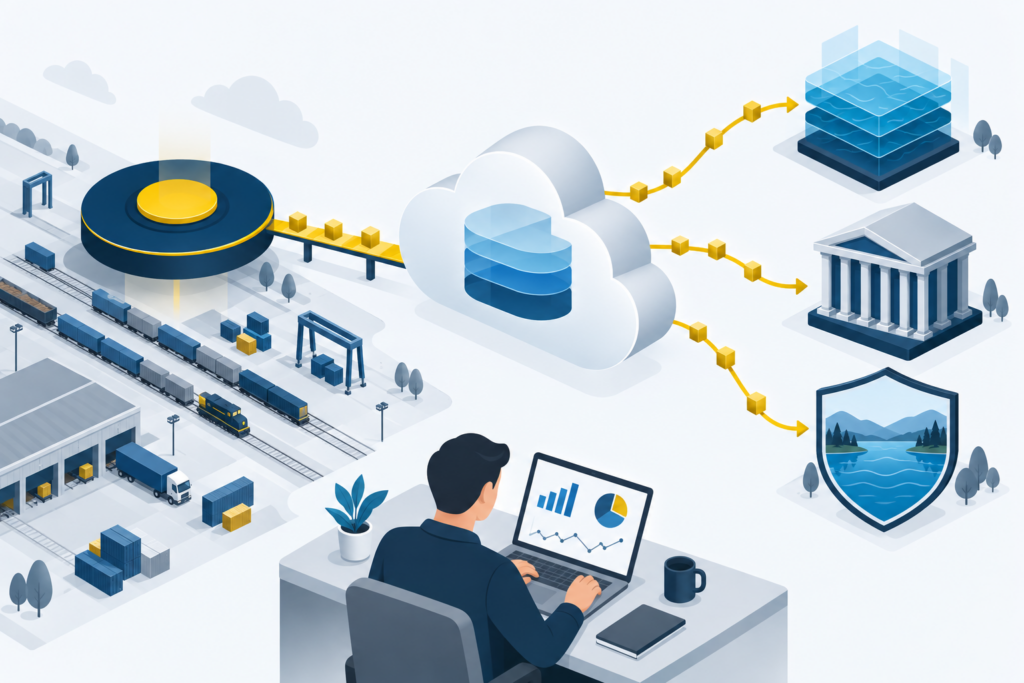
Continuous sync into your data lake. For teams that want ARMS data inside their own lakehouse, Data Depot’s sync service, now rolling out, keeps a copy current in your Amazon S3 or Azure storage. It delivers an initial snapshot, then change batches every few minutes, in open Parquet format. From there, it’s ready for the platform you already run: Databricks, where a Cedar AI-provided notebook merges changes into Delta tables, Snowflake, or an AWS data lake governed by AWS Lake Formation.
The principle behind Data Depot is simple: if you can see it in ARMS, it can be made available through Data Depot. The catalog already covers shipments and waybills, equipment inventory and movement history, locations, charges, car hire, and EDI history. It keeps expanding as customers ask for more.
AI assistants: connected, with guardrails
More teams want to ask questions of their operation in plain language, and enterprise IT teams rightly want to decide how any AI tool touches operational data. ARMS supports this through the Model Context Protocol (MCP), the open standard for connecting AI tools to business systems. AI assistants your organization already uses and trusts can connect to ARMS when your team chooses to set them up. Examples include ChatGPT, Claude, Cursor, and Microsoft Copilot Studio.
Nothing connects by default. A connection starts only when a user adds ARMS to their AI tool and signs in with their own Cedar account. From then on, the assistant sees only what that user can already see in ARMS, and sensitive fields are trimmed from results. The connection is read-only: an assistant can look things up, but changes stay in ARMS, made by a person. The MCP guide explains setup and exactly what data is shared.
Built for control, not just connection
Connecting systems is the easy part. Keeping them trustworthy is harder. That’s why new integrations are certified and tested before they go live. Every message leaves a trace your team can check without opening a support ticket, and temporary failures retry on their own. Every API call and AI connection carries a real user’s permissions, never a blanket key, and customers can choose US or EU hosting to meet data residency requirements.
Want to see exactly how it works? The API reference, webhook documentation, EDI messaging guide, and accounting integrations overview have the details.
Why this matters beyond the checklist
Every manual handoff between systems is where errors and delays creep in: a number retyped from one screen into another, an invoice keyed in from a PDF, a report built by hand because two platforms don’t share data.
Direct integration removes that handoff instead of asking a team to reconcile two versions of the truth. The ERP stays the ERP. ARMS stays the operational record. Your partners keep their EDI, and your devices keep reporting where they always have. Nobody’s stuck copying numbers between them.
ARMS doesn’t ask to be the only system you run. It’s built to be the one that keeps the others in sync.
One platform. End-to-end rail operations.
Curious what that looks like with your ERP? Schedule a demo.